Choosing the Right CMS in Kuwait: Custom vs Off-the-Shelf Solutions
TL;DR
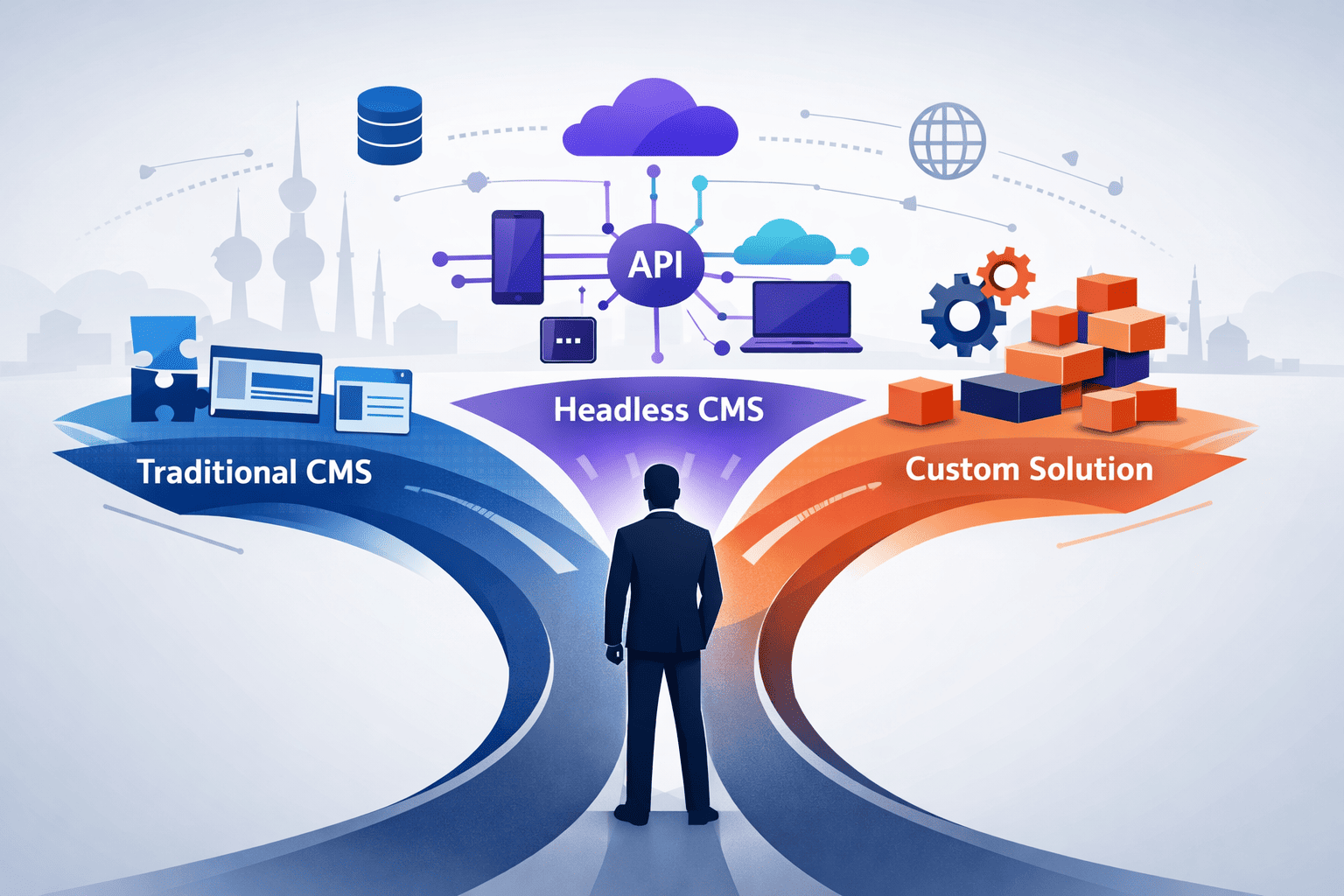
Selecting the right CMS can make or break a digital project. In Kuwait's growing digital economy, businesses face a critical choice: use an off-the-shelf solution like WordPress, adopt a modern headless CMS like Strapi or Payload, or build custom with frameworks like Filament PHP. This guide provides a practical decision framework based on project requirements, budget, and long-term maintainability.
Why the CMS Decision Matters
Every website needs a way to manage content. The choice of Content Management System affects:
- Development cost and timeline
- Ongoing maintenance burden
- Flexibility for future changes
- Performance and scalability
- Security posture
Choose wrong, and you're either overpaying for features you don't need or locked into a system that can't grow with your business.
Understanding CMS Types
Traditional CMS (Monolithic)
Examples: WordPress, Drupal, Joomla
The CMS handles everything—content storage, business logic, and frontend presentation. Content editors work in the same system that serves the website.
| Strengths | Weaknesses |
|---|---|
| All-in-one solution | Frontend tied to backend |
| Massive plugin ecosystems | Performance overhead |
| Lower initial learning curve | Security concerns (plugins) |
| Abundant hosting options | Limited multi-channel delivery |
Best for: Marketing websites, blogs, small business sites where speed-to-market matters more than customization.
Headless CMS
Examples: Strapi, Payload, Sanity, Contentful
The CMS manages content only, exposing it via API. A separate frontend (React, Next.js, mobile app) consumes the content.
| Strengths | Weaknesses |
|---|---|
| Complete frontend freedom | Requires frontend development |
| Better performance | More complex architecture |
| Multi-channel delivery | Higher initial cost |
| Modern developer experience | Editors need training |
Best for: Custom web applications, projects needing mobile apps alongside websites, companies with development teams.
Custom Admin Panels
Examples: Filament PHP, Laravel Nova, Django Admin
Built specifically for your application using frameworks that generate admin interfaces from your data models.
| Strengths | Weaknesses |
|---|---|
| Exactly what you need | Higher development cost |
| Deep business logic integration | Requires experienced developers |
| Complete control | No plugin ecosystem |
| No external dependencies | You maintain everything |
Best for: Complex business applications, industry-specific requirements, deep system integrations.
Decision Framework: How We Choose
When evaluating CMS options for Kuwait businesses, we assess five factors:
1. Content Complexity
| Content Type | Recommended Approach |
|---|---|
| Simple (pages, posts, media) | Traditional or simple headless CMS |
| Complex (custom types, relationships) | Headless CMS with flexible schemas |
| Highly specialized (industry-specific) | Custom admin panel |
2. Frontend Requirements
- Standard website design → Traditional CMS themes work
- Custom design with modern interactions → Headless CMS + React/Next.js
- Multiple frontends (web + mobile + kiosk) → Headless CMS essential
This is where headless shines. If you're building both a web application and a mobile app, a headless CMS lets both consume the same content API.
3. Integration Needs
- Standalone website → Any CMS works
- ERP/POS integration → Headless or custom with proper APIs
- Deep business process integration → Custom solution
4. Team Capabilities
- Non-technical content team → Prioritize editor experience
- Technical team available → More options viable
- Long-term in-house development → Consider maintainability
5. Budget & Timeline
| Scenario | Recommendation |
|---|---|
| Limited budget, quick launch | Off-the-shelf with customization |
| Reasonable budget, 2-3 months | Headless CMS + custom frontend |
| Significant investment, long-term | Custom solution justified |
The Tools We Use: Real Examples
Strapi — The Open-Source Headless Standard
What it is: Node.js-based headless CMS with visual content-type builder.
When we use it:
- Marketing sites needing API-driven content
- Projects requiring quick content modeling
- Teams wanting self-hosted open-source solution
Example use case: A Kuwait retail brand needs a website and mobile app sharing the same product catalog, news, and promotions. Strapi serves content to both via REST/GraphQL APIs.
Strengths: Visual admin, plugin marketplace, strong community, self-hosted or cloud options.
Limitations: Node.js dependency, can be heavy for simple sites.
Payload CMS — TypeScript-First Modern Headless
What it is: TypeScript-native headless CMS with code-first configuration.
When we use it:
- Developer teams comfortable with TypeScript
- Projects needing tight code control over content structure
- Applications requiring custom authentication flows
Example use case: A fintech startup in Kuwait building a customer portal. Payload integrates directly into the Next.js application, sharing authentication and providing admin interfaces without a separate system.
Strengths: TypeScript throughout, excellent developer experience, built-in authentication, lives in your codebase.
Limitations: Steeper learning curve for non-developers, newer ecosystem.
Filament PHP — Laravel Admin Excellence
What it is: Admin panel framework for Laravel applications.
When we use it:
- Laravel-based applications needing admin interfaces
- Complex business logic requiring custom workflows
- Projects where the CMS is part of a larger application
Example use case: A Kuwait logistics company needs a system managing shipments, customers, invoices, and driver assignments. Filament provides the admin panel while Laravel handles business logic, API endpoints, and integrations with their existing systems.
Strengths: Beautiful UI out of the box, Laravel ecosystem, extremely customizable, handles complex relationships elegantly.
Limitations: Requires Laravel/PHP expertise, you build everything yourself.
When to Go Custom vs Off-the-Shelf
Choose Off-the-Shelf (WordPress, Strapi) When:
- Standard content needs (blog, pages, products)
- Quick time-to-market required
- Limited development budget
- Plugin/extension can solve most requirements
- Non-technical team will maintain content
Choose Custom (Filament, Payload) When:
- Unique business processes that don't fit standard models
- Deep integration with internal systems required
- Security requirements demand full code control
- Long-term ownership and maintainability prioritized
- Development team available for ongoing support
The Hybrid Approach
Sometimes the answer is both. We've built projects where:
- Strapi manages marketing content (easily edited by marketing team)
- Filament manages operational data (integrated with business systems)
- Next.js frontend consumes both via APIs
This gives marketing independence while keeping operational systems properly engineered.
Kuwait-Specific Considerations
Arabic Content & RTL Support
Any CMS serving Kuwait audiences must handle Arabic properly:
- WordPress: Good RTL support with proper themes
- Strapi/Payload: Frontend handles RTL; CMS is language-agnostic
- Filament: Excellent RTL support built-in
Local Hosting Requirements
Some Kuwait businesses require data to stay in-region:
- Self-hosted options (Strapi, Payload, Filament) work on any server
- SaaS CMS (Contentful, Sanity) may have data residency limitations
Integration with Local Services
Kuwait businesses often need integration with:
- Local payment gateways (KNET, Tap)
- Government systems (PACI, MOC)
- Regional ERPs and accounting systems
Custom solutions or headless CMS with proper API architecture handle these better than monolithic systems.
Our Approach at DSRPT
We don't push one CMS for every project. Our web development services start with understanding your business:
Discovery Phase:
- What content do you need to manage?
- Who will be editing content?
- What systems need to integrate?
- What's your growth trajectory?
Recommendation: Based on answers, we recommend the appropriate approach—sometimes WordPress is perfect, sometimes Filament is necessary, sometimes a hybrid makes sense.
Implementation: Whether off-the-shelf or custom, we build with:
- SEO best practices from day one
- Performance optimization for Kuwait/GCC users
- Mobile-responsive or native mobile apps as needed
- Proper Arabic/RTL support
Long-term Support: CMS choice affects maintenance. We ensure you're not locked into solutions you can't maintain or evolve.
The Bottom Line
There's no universal "best CMS." The right choice depends on:
- Your content complexity
- Your frontend requirements
- Your integration needs
- Your team's capabilities
- Your budget and timeline
For simple marketing sites, WordPress or Strapi gets you live quickly. For complex applications with unique business logic, Filament or Payload provides the control you need. For multi-channel delivery, headless architecture is essential.
The worst choice is picking a CMS because it's familiar rather than because it fits. Evaluate honestly, choose deliberately, and build for the long term.
Ready to Choose the Right CMS?
Selecting the wrong CMS costs more than just the initial build—it affects every future change, integration, and scaling decision.
How DSRPT Can Help:
🔍 CMS Strategy Consultation We assess your requirements and recommend the right approach—no bias toward any particular platform.
🛠️ Web Development From WordPress to custom Filament applications, we build with the right tool for your needs.
📱 Mobile Applications Need a mobile app alongside your website? Headless CMS architecture lets both share content seamlessly.
📈 SEO Integration Whatever CMS you choose, we build with search visibility in mind from day one.
Frequently Asked Questions
Is WordPress still a good choice in 2025?
Yes, for the right projects. WordPress powers 40%+ of the web for good reasons, it's mature, well-supported, and content editors love it. But it's not ideal for complex applications or multi-channel delivery.
What's the difference between Strapi and Payload?
Strapi offers visual content-type building and is more accessible to non-developers. Payload is code-first, TypeScript-native, and integrates more deeply with your application. Strapi is quicker to start; Payload offers more control.
When should we build a custom CMS?
Almost never build a CMS from scratch. Instead, use frameworks like Filament that give you admin panel capabilities without reinventing content management. True custom CMS only makes sense for highly specialized industries with unique requirements no existing tool addresses.
How much does CMS development cost in Kuwait?
Costs vary dramatically: WordPress site: KD 500 - 3,000, Headless CMS + custom frontend: KD 3,000 - 15,000, Custom application with Filament: KD 5,000 - 30,000+, The right choice depends on long-term value, not just initial cost.
Can we switch CMS later?
Yes, but it's painful. Content can be migrated, but custom functionality, integrations, and workflows must be rebuilt. Choose thoughtfully upfront.